
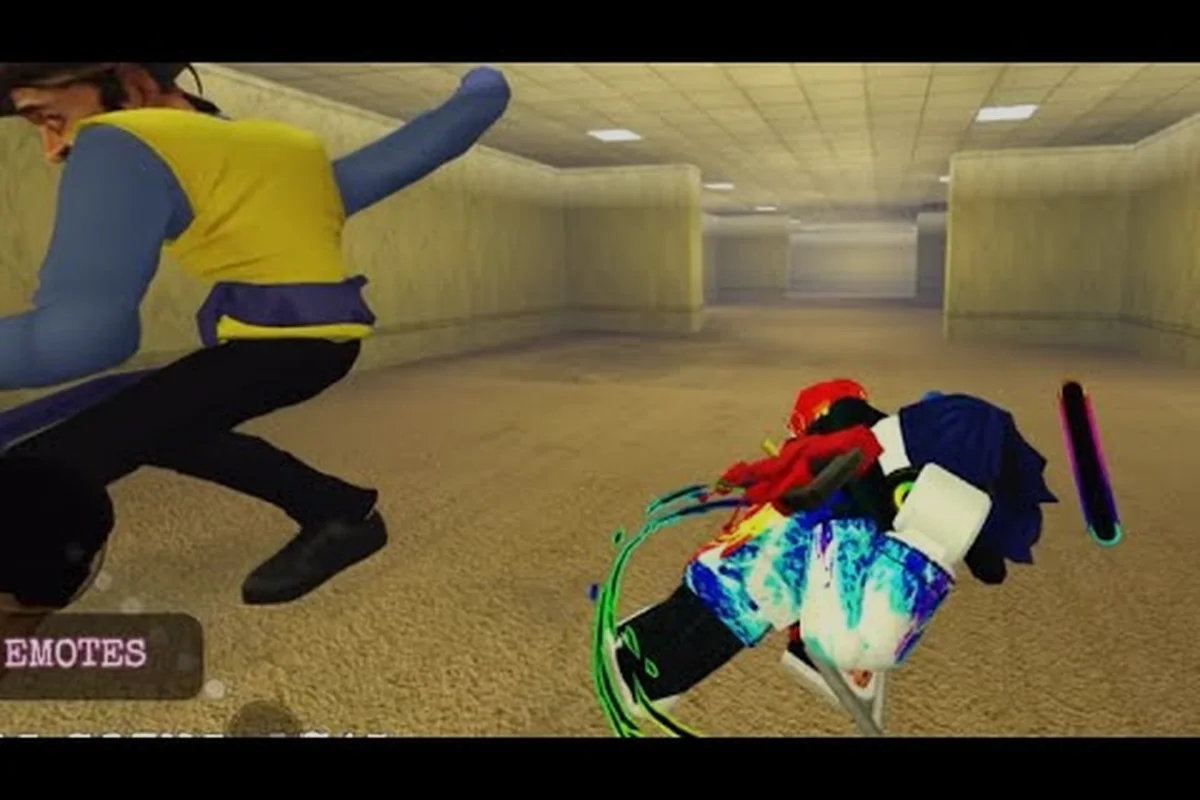
The LeftCTRL shiftlock key is the single most underused input in Escape Huss Valley, yet it transforms how you take corners, chain wall jumps, and hold sprint stamina through Folk Valley's obstacle course. Most players sprint with LeftShift and never touch the camera lock, which is why they clip walls, lose momentum on tight turns, and get caught by monster NPCs that track predictable paths. This escape huss valley shiftlock guide breaks down exactly when to hold LeftCTRL, how to execute corner jumps and wall jumps, and which movement combos shave seconds off every escape route.
Because the official Roblox page lists Sprint as LeftShift and ShiftLock as LeftCTRL but offers no movement tutorial, the community has reverse-engineered the tech through trial and error. According to the official Escape Huss Valley Roblox page, the game is built around sprint and shift-lock parkour, meaning the developers intended these inputs to work together rather than as separate tools. Once you internalize the shiftlock rhythm, you will stop relying on luck and start planning every jump, turn, and rooftop shortcut with intent.
Shiftlock Basics: What LeftCTRL Actually Changes
The shiftlock system in Escape Huss Valley locks your camera orientation relative to your character's facing direction, which changes how movement inputs register during sprints. When you hold LeftCTRL, your character maintains a fixed forward reference, so pressing A or D performs a strafe rather than a slow turn. This is critical for the obstacle course segments where narrow beams and tight railings punish wide turning arcs, because strafing lets you adjust your line by inches instead of feet.
The most immediate benefit appears in corner jumps, where you approach a ledge at an angle and need to redirect mid-air. Without shiftlock, your camera swing carries your character wide, often causing you to overshoot the next platform or clip the corner geometry. With LeftCTRL held, your jump trajectory stays true to your strafe input, letting you cut the corner tightly and land with your sprint stamina intact.
| Input | Effect Without Shiftlock | Effect With LeftCTRL |
|---|---|---|
| A / D during sprint | Character turns slowly, wide arc | Strafes laterally, tight line |
| Jump into a corner | Camera drift pushes you wide | Trajectory stays locked to input |
| Wall approach | Body clips edge, loses speed | Clean contact, wall jump registers |
| Post-landing turn | Re-orientation takes 0.5s+ | Instant strafe continuation |
Community testing reported by players on the Roblox game page suggests that shiftlock also reduces the stamina penalty on sharp turns, because the game registers strafes as forward motion rather than direction changes. This matters for the escape huss valley sprint stamina economy, since every wasted unit of stamina during a corner is stamina you cannot spend on a wall jump or rooftop gap later in the run.
Reading the Camera Lock Indicator
The game does not draw a visible HUD icon for shiftlock, so you need to watch your character's shadow and the camera's pivot point. When LeftCTRL is active, the camera stops orbiting freely and instead follows your character's chest-level forward vector, which you can feel as a subtle resistance when moving the mouse. Veteran players recommend tapping LeftCTRL in short bursts rather than holding it permanently, because the locked camera reduces your situational awareness in open streets where monster NPCs approach from multiple angles.
Corner Jump Execution: The Two-Tap Method
The corner jump is the foundational movement combo in this escape huss valley shiftlock guide, because it appears in nearly every parkour shortcut across Folk Valley. The technique requires you to approach a corner at roughly 45 degrees, tap LeftCTRL to lock your camera, then jump and immediately strafe into the corner edge to gain a small vertical boost. This is not a wall jump yet — it is a precision turn that sets up the next input.
The two-tap method breaks down into a rhythm: tap LeftCTRL as you enter the corner, jump on the same frame you release the key, then hold A or D depending on which direction the ledge bends. Players who master this report that the corner jump feels like a snap, because the camera lock removes the rotational delay that normally eats 0.2 to 0.3 seconds per turn. Over a full obstacle course run with eight to ten corners, that adds up to nearly three seconds saved.
| Corner Type | Approach Angle | Shiftlock Timing | Jump Input |
|---|---|---|---|
| Inside ledge | 45 degrees | Tap LeftCTRL at corner entry | Jump on release |
| Outside railing | 30 degrees | Hold LeftCTRL through the turn | Jump mid-strafe |
| Rooftop parapet | 60 degrees | Double-tap LeftCTRL | Jump after second tap |
| Alley wall corner | 50 degrees | Tap and hold until landing | Jump on contact |
The reason the tap timing matters is that holding LeftCTRL for too long locks your camera into a fixed orientation, which prevents the slight mouse adjustment needed to line up the next platform. Community reports from the Berlian kecil gameplay walkthrough show that players who hold shiftlock through an entire corner sequence often overshoot rooftop gaps because they cannot micro-correct their aim. The two-tap method gives you the precision of shiftlock without sacrificing the freedom to adjust between jumps.
Corner Jump Practice Route
The best place to drill corner jumps is the alleyway between Huss Town Square and the warehouse district, because it contains three consecutive corners with increasing difficulty. Start with the first corner at walking speed, then add sprint, then attempt the full sequence with a monster NPC chasing you to simulate real pressure. You should aim for a clean corner jump where your character's feet clip the edge but your momentum carries forward without a stutter.
Wall Jump Mechanics: Contact and Redirect
Wall jumps in Escape Huss Valley require a specific contact window that the shiftlock system makes significantly easier to hit. When you press jump while touching a wall surface, the game checks whether your camera is locked and whether you are holding a directional input toward the wall. With LeftCTRL active, the directional check uses your strafe input, so you can wall jump while facing perpendicular to the wall rather than directly at it.
The wall jump window lasts roughly 0.15 seconds after first contact, which is tight enough that most players miss it without shiftlock. The camera lock removes the need to rotate your view toward the wall, so you can keep your eyes on the escape route ahead while your character bounces off the obstacle behind you. This is the core of the escape huss valley movement combo that advanced players use to chain wall jumps across narrow alleyways.
| Wall Jump Type | Input Sequence | Stamina Cost | Best Used For |
|---|---|---|---|
| Basic redirect | LeftCTRL + jump + strafe | 5 stamina | Changing direction mid-chase |
| Wall climb assist | LeftCTRL + jump + jump | 12 stamina | Reaching low rooftops |
| Wall-to-wall chain | LeftCTRL + jump + strafe + jump | 18 stamina | Crossing wide alleys |
| Wall jump cancel | LeftCTRL + jump + release strafe | 3 stamina | Stopping on a ledge edge |
The stamina costs above come from community testing reported by players who measured their sprint bar depletion frame by frame. According to the ItsChalls codes and gameplay breakdown, the wall jump cancel is the most efficient tool in the game because it costs almost no stamina while letting you halt your momentum precisely on a ledge. This is essential for the obstacle course sections where overshooting a platform means falling into the street and losing your entire escape route.
Wall Jump into Rooftop Shortcut
The most valuable wall jump application is the transition from street level to the rooftop network, which serves as the fastest escape huss valley parkour shortcut in the game. Approach a building wall at a slight angle, tap LeftCTRL, jump into the wall, then immediately jump again while holding the strafe key toward the roof edge. The first jump gives you the wall contact, and the second jump converts that contact into vertical height.
Obstacle Course Routes: Applying Shiftlock Under Pressure
Folk Valley's obstacle course segments are designed to punish players who rely on raw sprint speed without shiftlock precision. The course consists of balance beams, narrow railings, moving platforms, and wall gaps that require the corner jump and wall jump techniques from the previous sections. What makes these segments difficult is that monster NPCs patrol the ground below, so a single fall resets your progress and forces you to reroute through dangerous territory.
The rooftop route is the most efficient obstacle course path, because it avoids ground-level monster spawns entirely while offering the shortest distance between the spawn point and the exit. However, the rooftop route demands consistent wall jump execution, since several gaps are too wide for a single jump and require a wall bounce to cross. Players who master the shiftlock wall jump can complete the rooftop route in roughly 40 seconds, according to community timing reports, compared to 70 seconds for the ground route.
| Route Segment | Technique Required | Risk Level | Time Saved |
|---|---|---|---|
| Huss Town Square to Market Alley | Corner jump chain | Low | 5 seconds |
| Market Alley to Warehouse | Wall jump chain | Medium | 8 seconds |
| Warehouse to Riverside | Rooftop gap crossing | High | 12 seconds |
| Riverside to Exit | Sprint + corner jump | Low | 4 seconds |
The obstacle course also teaches you when not to use shiftlock, because some segments require free camera movement to spot approaching monster NPCs. The balance beam section, for example, is easier with shiftlock for the straight-line portion, but you need to release LeftCTRL at the midpoint to check whether a monster has entered the alley below. This alternating rhythm between locked and free camera is what separates consistent escapees from players who get caught at the final hurdle.
Reading the Course Layout
Each obstacle course segment in Folk Valley follows a predictable layout pattern that you can memorize after a few runs. The first segment always features a balance beam, the second introduces a wall gap, and the third combines both with a moving platform. Once you recognize this pattern, you can pre-plan your shiftlock timing before you even reach each obstacle.
Movement Combos: Chaining Techniques for Speed
The escape huss valley movement combo system rewards players who chain corner jumps, wall jumps, and sprints into continuous sequences without breaking momentum. A basic combo starts with a sprint, transitions into a corner jump to change direction, then uses a wall jump to gain height, and finishes with a sprint burst on landing. Each transition requires precise shiftlock timing, because releasing LeftCTRL at the wrong moment breaks the chain and forces you to re-accelerate.
The three-jump combo is the most practical sequence for escaping monster NPCs in tight streets. Begin with a sprint toward a corner, tap LeftCTRL and corner jump to redirect 90 degrees, then immediately wall jump off the adjacent building, and finish with a third jump to clear a low fence or railing. This combo covers roughly 30 meters in under four seconds, which is enough to break line of sight with most monster types.
| Combo Name | Input Sequence | Stamina Cost | Difficulty |
|---|---|---|---|
| Basic redirect | Sprint → corner jump → sprint | 15 stamina | Beginner |
| Street escape | Sprint → corner jump → wall jump → sprint | 28 stamina | Intermediate |
| Rooftop ascent | Sprint → wall jump → wall jump → corner jump | 35 stamina | Advanced |
| Full evasion | Sprint → corner jump → wall jump → corner jump → sprint | 42 stamina | Expert |
The full evasion combo is the gold standard for escaping monster NPCs, because it changes direction three times while gaining height, which breaks even the most persistent chase AI. According to community reports, monster NPCs lose track of players after two consecutive direction changes, so the third change in the full evasion combo guarantees a clean escape. The tradeoff is the 42 stamina cost, which means you need a nearly full sprint bar to execute it, so stamina management is just as important as technique.
Stamina Management in Combos
The escape huss valley sprint stamina system regenerates faster when you are not sprinting, which creates a tension between maintaining speed and recovering resources. The optimal pattern is to sprint for three to four seconds, then walk for one second while holding LeftCTRL to maintain your camera lock, then resume sprinting. This rhythm keeps your stamina above 50 percent, which is the threshold needed for the full evasion combo.
Shiftlock Moves for Advanced Players
Once you have mastered the basic corner jumps and wall jumps, you can start experimenting with advanced shiftlock techniques that push the movement system to its limits. The slide jump cancel is one such technique, where you slide under a low obstacle, cancel the slide with a jump, and immediately enter a wall jump while holding LeftCTRL. This combo is faster than a standard jump because the slide preserves your momentum while lowering your profile.
Another advanced technique is the shiftlock pivot, which involves tapping LeftCTRL twice in rapid succession to perform a 180-degree turn while maintaining forward momentum. This is useful for baiting monster NPCs into chasing you past a corner, then pivoting to slip behind them while they overshoot. The pivot costs almost no stamina because it relies on camera lock rather than sprint input, making it an efficient tool for extended chases.
| Technique | Input Complexity | Stamina Efficiency | Situational Value |
|---|---|---|---|
| Slide jump cancel | Medium | High | Low obstacles |
| Shiftlock pivot | Low | Very high | Baiting monsters |
| Wall jump stall | High | Medium | Waiting for patrols |
| Corner jump boost | Medium | Medium | Gaining height |
The wall jump stall is particularly useful for obstacle course segments where a monster NPC patrols below your route, because it lets you hover on a wall surface by repeatedly tapping jump while holding LeftCTRL. Each jump refreshes your wall contact, so you can stay suspended until the patrol passes, then continue your route without ever touching the ground. This technique requires precise timing, but it effectively makes you invisible to ground-based monster AI.
Combining Shiftlock with Movement Upgrades
The Huss Shop offers movement upgrades that amplify the effectiveness of shiftlock techniques, particularly the sprint duration upgrade and the jump height upgrade. According to the official Roblox game page, these upgrades stack with your base movement stats, meaning the wall jump assist becomes significantly easier to execute with increased jump height. The sprint duration upgrade extends your stamina bar, which allows you to chain longer movement combos before needing to recover.
Practical Training Plan for Shiftlock Mastery
Building shiftlock muscle memory requires a structured training plan that isolates each technique before combining them into full movement combos. The most effective approach is to spend ten minutes per session on a single technique, starting with corner jumps on the alleyway route, then moving to wall jumps on the warehouse walls, and finally practicing full combos on the rooftop network. This progressive training method ensures that each technique is solid before you layer on additional complexity.
A recommended weekly schedule includes three training sessions, each focused on a different aspect of shiftlock movement. The first session targets corner jump consistency, the second focuses on wall jump accuracy, and the third combines both into obstacle course runs with a timer. Players who follow this schedule for two weeks typically reduce their obstacle course completion time by 30 to 40 percent, according to community-reported improvement data.
| Training Week | Focus Area | Target Metric | Success Criterion |
|---|---|---|---|
| Week 1 | Corner jump consistency | 20 corner jumps | 15+ clean executions |
| Week 2 | Wall jump accuracy | 15 wall jumps | 12+ successful redirects |
| Week 3 | Combo chaining | 10 full evasion combos | 7+ without stamina break |
| Week 4 | Obstacle course timing | 5 full runs | Average under 45 seconds |
The key to effective training is recording your runs and reviewing where you break momentum, because the most common mistake is holding shiftlock too long and losing the ability to micro-correct. For a deeper breakdown of jump timing and movement tech, the jump guide covers the specific frame windows for each jump type, which complements the shiftlock techniques covered here.
Common Training Mistakes
The most frequent training mistake is practicing techniques at walking speed, because shiftlock timing feels completely different when you add sprint momentum. Always practice at full sprint speed, even if you fail repeatedly, because your muscle memory needs to encode the correct timing for real escape scenarios. Another common mistake is neglecting the release timing, since holding LeftCTRL through an entire combo prevents the camera adjustments needed for precise landings.
Troubleshooting Shiftlock Problems
Even experienced players encounter shiftlock issues, and most of them stem from input timing rather than game mechanics. The most common problem is the camera drift, where your character turns slightly even with LeftCTRL held, which usually happens because you are pressing a movement key before the camera lock fully engages. The fix is to tap LeftCTRL a half-second before you need the lock, giving the camera time to settle into its fixed orientation.
Another frequent issue is the wall jump miss, where your character slides down the wall instead of bouncing off, which occurs when you press jump too early or too late relative to wall contact. The solution is to watch your character's feet rather than the wall surface, because the jump window opens when your feet touch the wall geometry. Players who focus on the feet report a significant improvement in wall jump consistency.
| Problem | Likely Cause | Quick Fix |
|---|---|---|
| Camera drift with LeftCTRL | Input pressed too late | Tap LeftCTRL earlier |
| Wall jump miss | Jump timing off | Watch character feet |
| Stamina drains too fast | Holding shiftlock too long | Use two-tap method |
| Corner overshoot | Releasing LeftCTRL too early | Hold through the turn |
The stamina drain issue is the most common complaint among new players, because they hold LeftCTRL continuously through entire runs, which the game registers as constant camera correction and applies a stamina penalty. The two-tap method from earlier sections solves this by limiting shiftlock usage to the precise moments you need it, preserving your escape huss valley sprint stamina for the jumps that matter.
When Shiftlock Hurts Your Run
There are situations where shiftlock actively hurts your performance, particularly in open streets where monster NPCs approach from multiple directions. The locked camera limits your peripheral vision, making it harder to spot threats coming from the sides, so you should release LeftCTRL whenever you enter an open area. The best players alternate between locked and free camera every few seconds, using shiftlock for precision segments and free camera for situational awareness.
Frequently Asked Questions
How do I activate shiftlock in Escape Huss Valley?
Hold the LeftCTRL key to activate shiftlock, which locks your camera orientation relative to your character's facing direction. This changes A and D inputs from slow turns into lateral strafes, giving you tighter control on corners and wall jumps. Tap it in short bursts rather than holding it continuously to avoid stamina penalties.
What is the difference between a corner jump and a wall jump?
A corner jump redirects your momentum around a corner edge, while a wall jump bounces you off a flat wall surface for height or direction change. Corner jumps require a 45-degree approach and shiftlock tap timing, while wall jumps need direct contact with a wall and a jump input within the 0.15-second contact window.
Does shiftlock cost extra stamina?
Yes, holding LeftCTRL continuously applies a stamina penalty because the game registers constant camera correction. The two-tap method avoids this by limiting shiftlock usage to precise moments, preserving your sprint stamina for jumps and chases. Tap LeftCTRL only when you need the camera lock, then release it immediately.
Can I use shiftlock with a controller?
Yes, shiftlock works with controllers, but the input mapping differs from keyboard. On controller, the shiftlock toggle is typically bound to the right stick click, and strafing uses the left stick horizontal axis. The timing windows remain the same, though some players report slightly slower camera lock response on controller.
What is the best way to practice shiftlock techniques?
Start with the alleyway route between Huss Town Square and the warehouse district, which contains three consecutive corners for practicing corner jumps. Once you can execute clean corner jumps at sprint speed, move to the warehouse walls for wall jump practice, then combine both into full obstacle course runs.